Full-Pipeline
Gaussian Splatting Studio

Reconstruct, train and edit Gaussian scenes on your machine. Start with video and photos, 360° environment captures, a single photo for 2.5D, or prepared COLMAP data.

  • Native GPU processing
  • Fully local pipeline
  • 4DGS upcoming

Features

Camera alignment, Gaussian training and editing for video, photos and 360° environments, plus single-photo 2.5D reconstruction.

Multiple input formats

Video and photos, 360° environment captures, single photos and prepared COLMAP datasets.

Photo and video reconstruction

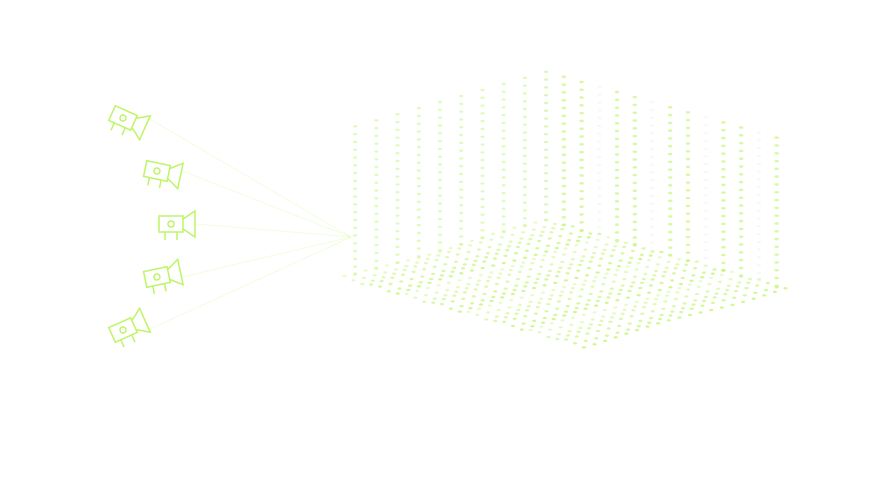
Import a photo set or extract frames from video. Reconstruct cameras, choose General or Environment, then configure and train your scene.

Diagram of multi-view cameras and a Gaussian sceneDiagram
  1. Input Preparation

    Prepare frames and the masks the route needs.

  2. Camera Alignment & Reconstruction

    Recover cameras and scene structure.

  3. Geometry Constraints

    Environment route: add compatible geometry guidance.

  4. Gaussian Splatting Training

    Set parameters and train the Gaussian scene.

  5. Scene Editing & Export

    Refine the scene and export.

4D Gaussian Splatting

Upcoming

Time-varying Gaussian scenes with temporal playback and free-viewpoint navigation.

Desktop features

Training

  • Native GPU processing
  • Training parameter controls
  • Live training preview
  • Pause and resume

Reconstruction

  • Camera alignment
  • Geometry constraints
  • General and Environment
  • Single-photo 2.5D

Workspace

  • Scene editing
  • Source-linked training runs
  • Project saving
  • Fully local pipeline

Free & Pro

Free

$0

No payment details required

  • Non-commercial-use license
  • Automatic image & video alignment
  • Automatic people masking
  • Prepared COLMAP dataset import
  • MCMC training
  • Live preview, pause and resume
  • Scene editing and project saving
  • Standard GS export
  • Fully local pipeline

Pro

$40 / month

Per user, billed monthly

Everything in Free, plus:

  • Commercial-use license
  • Mirror and Tron training profiles
  • Automatic 360°, panorama and Insta360 (.insv) preparation
  • Geometry-constrained training
  • 4D Gaussian SplattingUpcoming

USD, before tax. Both plans require sign-in and a valid license.Try Pro free for 7 days in 01Splat. No payment method, no automatic renewal.

Frequently asked questions

What can I start with?

Ordinary video or a photo set, 360° video or supported Insta360 recordings (.insv), a single photo for 2.5D, or a prepared compatible COLMAP dataset. The input determines the preparation route.

Does the work happen on my machine?

The full pipeline runs locally: input preparation, camera alignment, reconstruction, training, editing and export. Your captures and projects are not uploaded for processing. Sign-in, license checks and billing require online services.

Is video input the same as 4D?

No. A video can provide multiple views of a static scene for 3D reconstruction. 4D represents changes over time within the reconstructed scene.

Can I compare different training runs?

Yes. One source can produce several Splat objects, each with its own reconstruction settings. The source relationship stays intact when you organize the scene.

Where do I find downloads and supported formats?

The release center contains the Windows installer, version notes, checksum and system requirements for each published release. It also identifies the workflows and formats enabled in that version.

Can I try Pro before I buy it?

Yes. Start a free 7-day Pro trial in the 01Splat app when your material is ready. It needs no payment method, does not renew and does not turn into a subscription, and there is one trial per person, account, email address and device (a Windows user account on a computer). The trial is for evaluation only. Afterwards, projects created during it open read-only: you can view them and export standard Gaussian splats; training, editing and saving need Pro.

Download 01Splat

Discord invite link coming soon.